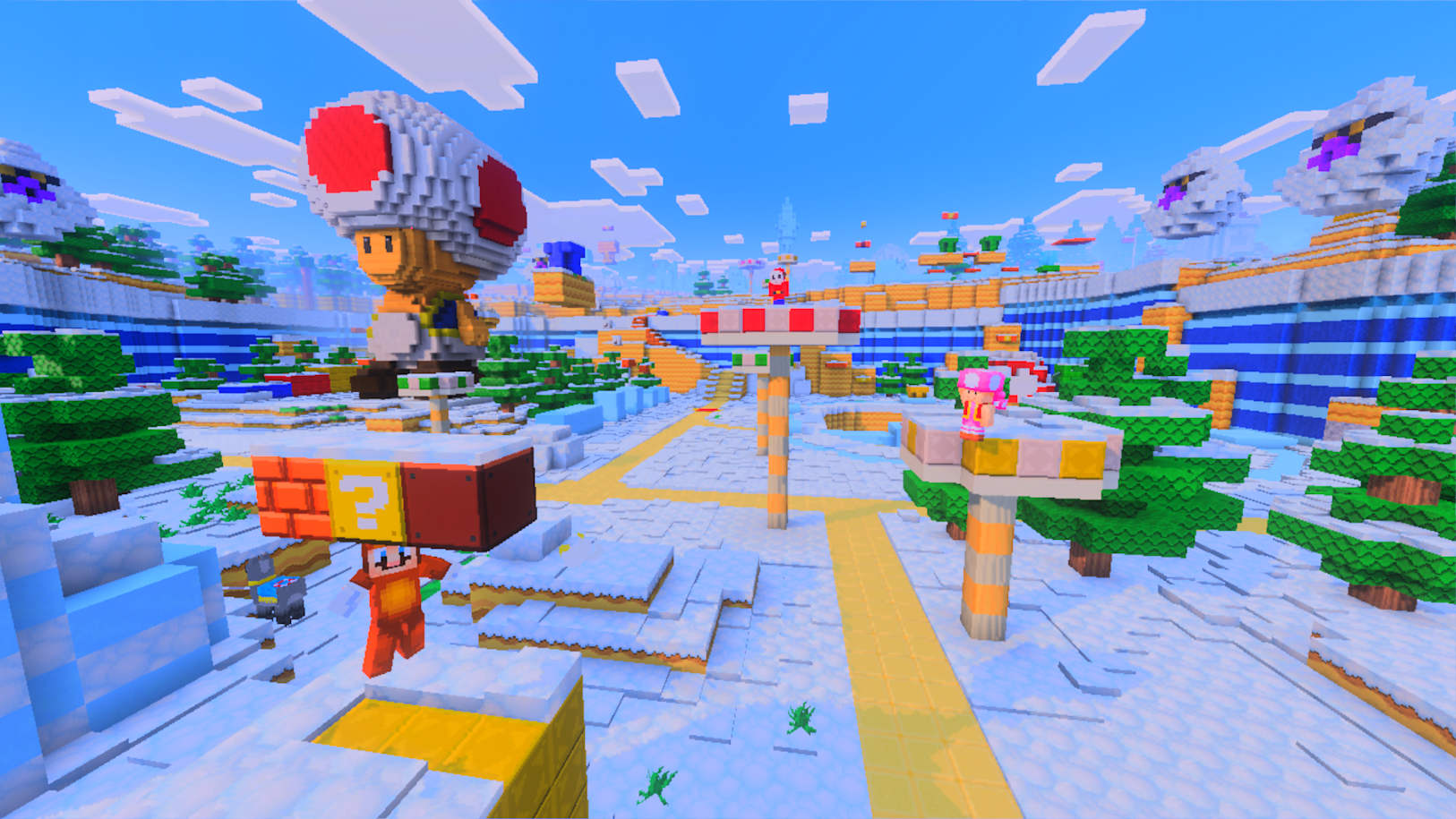
Minecraft launched on Nintendo Switch 2 with Vibrant Visuals and an updated Super Mario Mash-Up Pack. Digital Switch owners can claim a free Standard Edition upgrade; other owners receive a discounted collection offer through January 31, 2027.
Minecraft's Switch 2 Edition is available now
Minecraft launched on Nintendo Switch 2 on October 28, 2026, according to Nintendo's announcement. The new edition is built for the current console and brings a feature set that includes Vibrant Visuals and the Super Mario Mash-Up Pack. For players already building worlds on the original Switch, Nintendo also described an upgrade offer with a deadline.
A new platform edition is useful news for people who want to keep playing a familiar game on newer hardware, but the details matter. Existing ownership, edition compatibility, save handling, and regional store listings can affect what a player needs to do. Nintendo's announcement is the source for the offer and headline features; check the eShop attached to your account for the exact purchase or upgrade flow.
This is not a new Minecraft game with a different core premise. It is a Switch 2 edition of the sandbox game, with platform-specific improvements and a themed pack. Players should read the product page before buying to avoid purchasing a second copy unnecessarily or assuming that every existing add-on transfers in the same way.
Vibrant Visuals is the main presentation upgrade
Nintendo highlights Vibrant Visuals as a feature of the Switch 2 edition. Visual upgrades can make familiar blocks, lighting, and environments feel refreshed, but the announcement does not make a performance promise for every possible world or setting. Players should use the in-game options and product page to understand which visual mode is available and how it behaves on their system.
For longtime players, the appeal is seeing a world they already know with updated presentation. A change in lighting and visual treatment can make an existing build feel different without changing the creative decisions behind it. That is especially relevant for players who have spent years on a survival world or shared realm and want to revisit it on new hardware.
Visual modes can involve trade-offs, so compare the options in a world you know well instead of judging from a promotional image. Look at readability, brightness, and how the game feels during movement. If you prefer the original style, check whether the settings let you choose the look that suits you; Nintendo's announcement identifies Vibrant Visuals but does not spell out every setting.
The Super Mario Mash-Up Pack adds a Nintendo-flavored bonus
The Super Mario Mash-Up Pack is another key part of the Switch 2 announcement. Mash-up content gives Minecraft players themed materials and presentation connected to Nintendo's characters and worlds. It is a natural fit for the platform, especially for families or builders who want a recognizably Mario-inspired project alongside their usual survival and creative saves.
Before expecting the pack in a specific account or world, review the Switch 2 product page and Nintendo's instructions. The availability of add-on content can depend on the edition and how a player obtained the game. If you are upgrading from Switch, follow the official upgrade route rather than assuming the pack will appear automatically in every installation.
The pack is a themed extra, not a replacement for the game's normal building tools. Players can keep making their own worlds and use the themed content where supported. Nintendo's announcement confirms the pack is part of the Switch 2 story, but for the full list of included assets and any save compatibility details, rely on the store listing and current in-game menus.
Existing Switch owners should note the upgrade deadline
Nintendo's offer depends on how you own the Switch version. Owners of a digital copy can upgrade to the digital Standard Edition for Switch 2 at no charge through the eShop. For all players, including physical-copy owners, launching the Switch version on Switch 2 during the offer window triggers an in-game message inviting them to buy the Ultimate Collection at a discount.
The offer window runs from October 27, 2026 at 9 a.m. PT through January 31, 2027 at 9 a.m. PT. Sign in with the account that owns the digital game and check the eShop for the Standard Edition upgrade. Physical owners should follow the in-game message for the discounted Ultimate Collection offer instead of expecting the same free upgrade path.
Nintendo says previous Switch players can carry their worlds over to Switch 2. Still, follow the game's supported transfer process and allow saves to sync before deleting data from the old console. The upgrade offer does not mean that every add-on or Marketplace purchase follows identical rules, so read the product and support pages if you have a large collection of content.
Who should consider switching editions now?
The Switch 2 edition is most relevant to players who already own the original version and plan to keep playing on the newer console. Vibrant Visuals and the Mario pack give them concrete reasons to check the new edition, while the free upgrade window removes the listed purchase cost for eligible owners before the deadline.
New players should compare the current eShop listing with the version they already own on other platforms. Minecraft is available across many devices, and cross-play or account features may depend on platform setup and current service support. If friends play elsewhere, verify their edition and account settings before buying a copy solely to join a particular multiplayer world.
Builders who are happy with the original Switch presentation may not need to rush, but they should still note the January 31 cutoff if the free upgrade applies to them. Players who want to test the new visual style can do so after confirming their saves and add-ons are safe. The main thing is to use official instructions and avoid unverified transfer tools.
A quick checklist before you download
First, confirm that your Nintendo account owns the original Switch game if you are using the free upgrade. Next, open the Switch 2 eShop and inspect the product page for the edition name, upgrade option, and regional terms. Then back up or sync the worlds you care about before moving between devices, following Minecraft and Nintendo's official steps.
After installing, check the settings for Vibrant Visuals and load a familiar world to compare the presentation. Look for the Super Mario Mash-Up Pack through the game's supported content menu. If a feature is missing, restart the game, confirm the edition, and check the support page before purchasing content again or deleting a save.
Nintendo's launch announcement confirms the Switch 2 release, the headline features, and the free upgrade deadline. It does not answer every account or save question, so use the official store and support documents for those details. For existing players, this is a straightforward hardware refresh with a clear deadline; for newcomers, compare platform needs before choosing where to build your next world.
CHECK THE ORIGINALS.
Facts and update details above are based on these official sources. Details can change as the game is updated.
- Minecraft arrives on Nintendo Switch 2 ↗Nintendo Singapore
- Minecraft ↗Mojang / Nintendo eShop
Loading comments…